 Teaching Mate
Sign in
A free online quiz maker for teachers
In Teaching Mate a quiz belongs to a course: put it next to the page it practises, or at the end of a chapter as a test. Students answer on a computer or a phone, each attempt is saved, and you see every result of the students in your groups, mistakes included.
Make a quiz in the Studio Try a math quiz
Question types
- Multiple choice, with a picture if you want one.
- True or false.
- Match the pairs: words and their meanings, questions and answers.
- Put the words in order: build a sentence from word bricks.
- Fill the gaps by tapping the missing words.
- Listen and choose: the word or sentence is spoken, and the student picks what they heard or what it means.
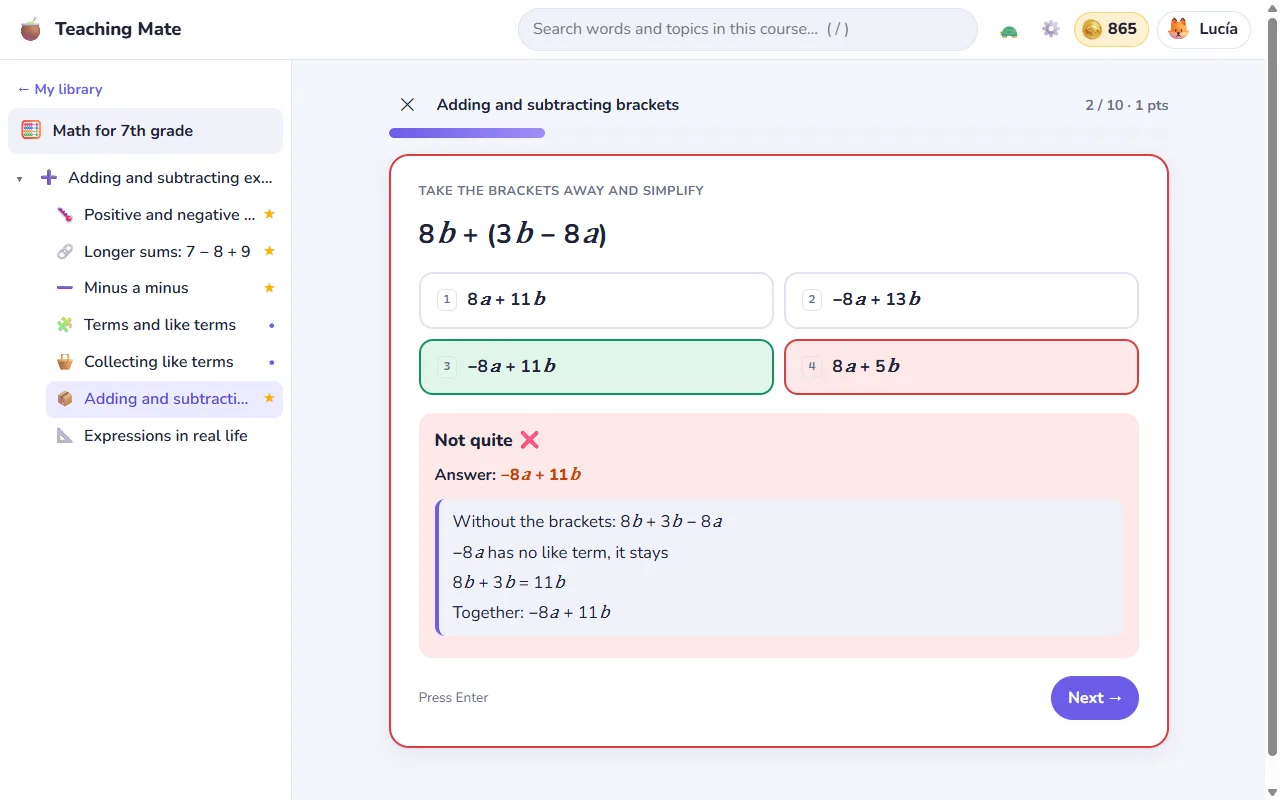
- Math: pick the right result of a calculation. The wrong options are the mistakes students really make, such as a forgotten minus or a minus before a bracket that changed only the first sign, and after a mistake the worked steps are shown.
Students never type
Every question is answered by choosing, tapping or matching. There is no answer box anywhere. That keeps quizzes quick on a phone, fair to younger children who cannot spell a word yet, and free of arguments about accents and capital letters. Questions written in older typed forms are shown as choices too.
Let the quiz write the questions
Point a quiz at a word list and it makes the questions for you: what does this word mean, how do you say it, which word did you hear, is this pair right, match these five, put this example sentence in order. Each attempt draws a new mix. Math quizzes can make fresh exercises on every attempt too, with signed numbers, like terms and brackets, so a student who practises again gets new sums, not the same ones remembered.
Quiz, test or flashcards
- Quiz: feedback after every answer, with your explanation of why.
- Test: feedback only at the end, like a real test.
- Flashcards: study cards, where the cards a student did not know come back until they know them all. See flashcards and audio.
For each quiz you choose how many questions are drawn at random, the pass mark (70% unless you set another), an optional time limit and whether the order is shuffled. At the end students can practise the questions they got wrong.
The quiz editor
Quizzes are edited in the Studio. The editor checks the quiz while you type and tells you what is missing, inserts ready examples of every question type, and has a Try tab that runs the quiz exactly as your students will see it. Words in the course's language can be tapped in questions and explanations to hear them, and choice questions can say the right answer aloud once it is given.
Results you can use
Each attempt is saved with its score and the questions that went wrong. Students see their best score in every quiz and which ones they passed. For the students in your groups you see every attempt: the question, the answer they chose and the right one, so you know what to go over in the next lesson. Groups and progress explains the rest.
Students who like a little competition can compare their results with their classmates on the class results board, and passed quizzes earn gold for their aquarium, a small game inside the app.
Free, with no ads
The quiz maker is part of Teaching Mate, which is free for teachers and students. Sign up as a teacher and start with the example course, which already has a quiz and a set of flashcards you can change.