 Teaching Mate
Sign in
For students and parents: how learning with Teaching Mate works
Teaching Mate is where students find the courses their teacher gave them, and free courses anyone can take. They read short pages, listen to every word, practise with quizzes and flashcards, and earn gold for a little aquarium of their own. It works in any web browser and in the Android app, and it is free.
Sign in or create an account See the free courses
Getting in
- From your teacher: sign in with the email and the 4-digit PIN on the card your teacher gave you, or open your group's link or scan its QR code.
- On your own: create an account with your email and a password, or continue with Google. If your teacher gave you a group code, enter it as you sign up.
Everyone picks an animal and the name the app should call them. On a phone shared by a family, "Switch learner" in the menu changes between accounts in a moment.
Your library
The home page shows your library: the courses of your groups and the ones you added yourself. More courses are in the public library, where you search by topic and add what you like. A course opens with three big buttons: How to use, Learn and Take a quiz.
Lessons: learn and practise at once
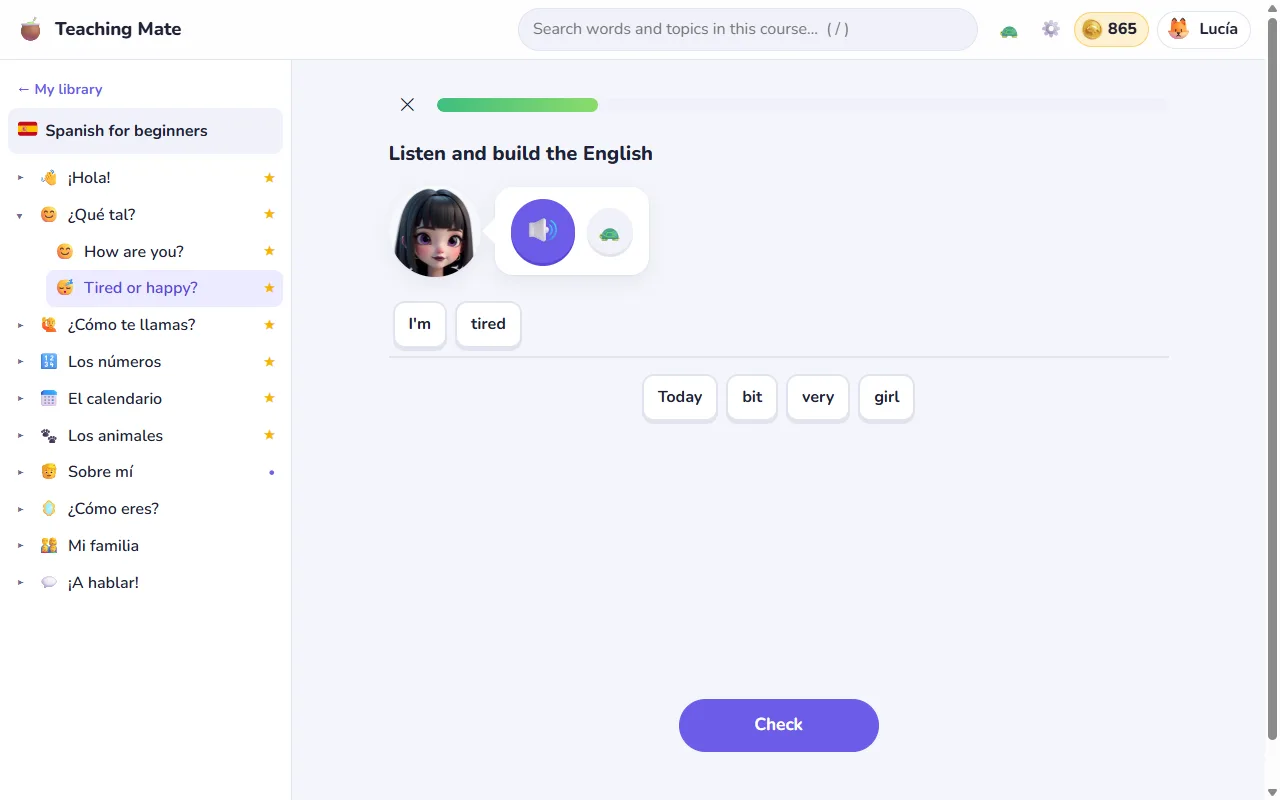
Lesson courses, such as Spanish for beginners, start each lesson with two or three short lines and then go straight to practice: match the new words, build sentences from word bricks, say them aloud (the app checks it, and it hears by itself when you have finished), and pick the right one of four. Everything is tested both ways, from Spanish and into Spanish. Whatever you get wrong comes back a few exercises later and then more often than the rest. The speakers have their own voices and faces, four mascots (a frog, a donkey, a duck and a parrot) cheer you on, and your way through the course is a path of lily pads across a pond: each pad turns from red to full green as you master its lesson.
Pages, quizzes and flashcards
- Pages explain one topic each. Tap a word in the course's language to hear it; the turtle button slows the audio down.
- Quizzes are answered by choosing, tapping and matching. You never have to type an answer, so they are quick on a phone too. At the end you can practise the questions you got wrong.
- Flashcards keep coming back until you know them all.
- Brief or full: choose whether pages and quizzes give you every explanation or just the point. Your teacher may choose it for you.
An aquarium that grows with your learning
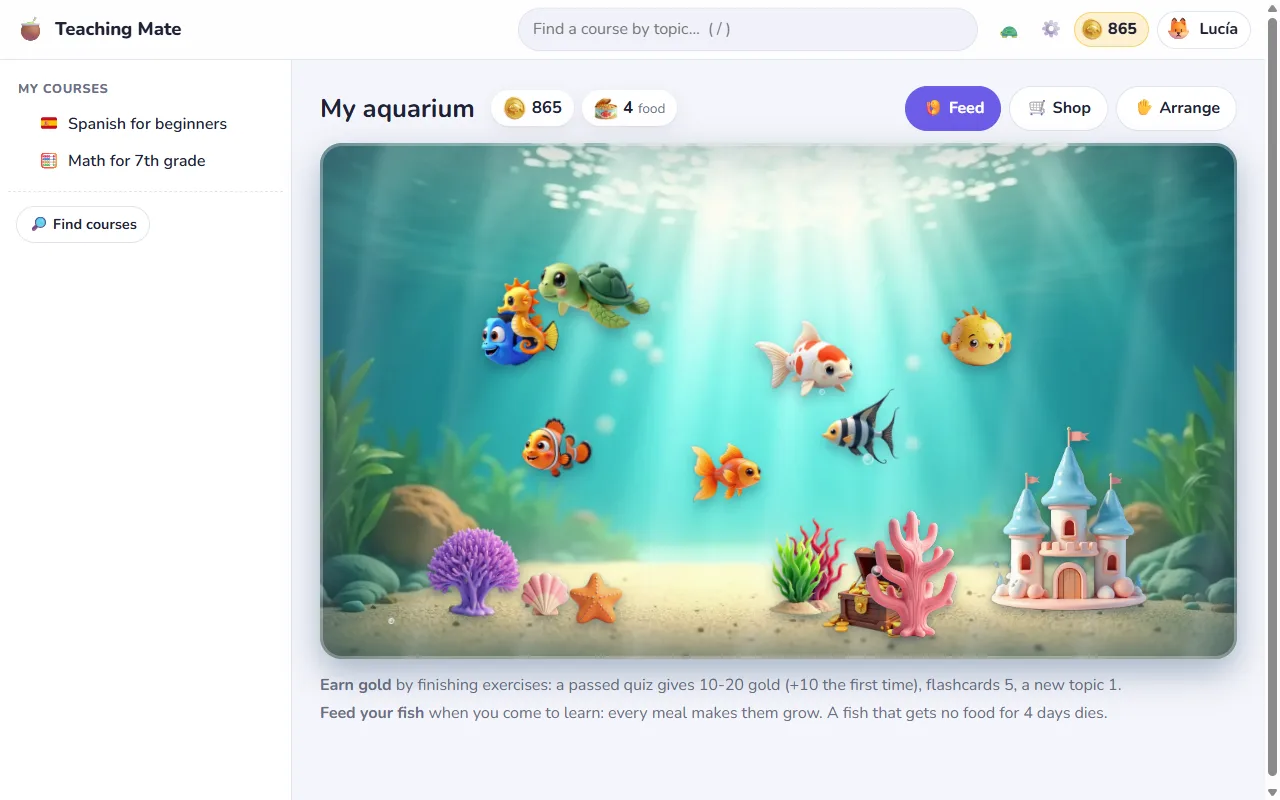
Exercises earn gold: a passed quiz brings 10 gold or more (10 extra the first time), a set of flashcards 5, and a new topic 1. Each exercise pays up to three times a day, so practising a little every day beats grinding one quiz. Gold buys fish, decorations and fish food. Every meal makes a fish grow, from a baby to a big one, but fish need feeding: a fish left without food for four days dies.
See how your class is doing
If your teacher keeps class results on, you can see where you stand in your group: quizzes passed, best scores and practice this week. Classmates see your name, your animal and your results in the group's courses, never your email or your mistakes.
On every device, also offline
Your progress is saved to your account, so you can start on a school computer and carry on at home. The Android app downloads the courses in your library to the phone, so they work without the internet too; results wait on the phone and are sent when it is back online.
For parents
- Free and without ads. There is nothing to buy, and gold in the game is earned only by learning.
- What is stored: the email, the name and animal shown in the app, a scrambled (hashed) version of the password, the learning results and the aquarium. Your child's teacher sees results only in the courses of their own groups. The privacy policy has the details.
- No typing, short lessons: made so that younger children can use it on their own.