 Teaching Mate
Sign in
Assign courses to your class and see how every student is doing
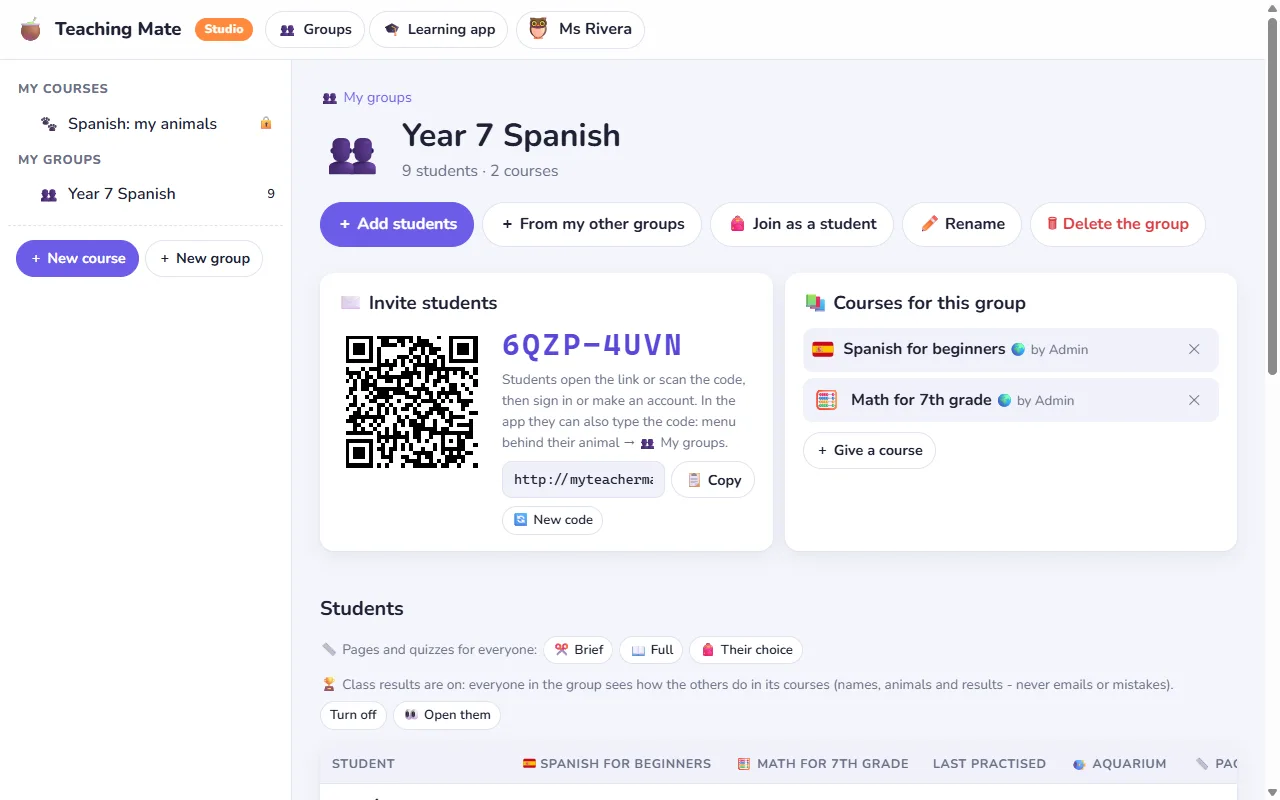
In Teaching Mate a class is a group. You give the group its courses, and they appear in every student's library at once. Then you follow how each student is doing, topic by topic and quiz by quiz, without collecting a single worksheet.
Getting your students in
There are two ways, and you can mix them.
- You make their accounts. Type one student per line, with a name and an email. Teaching Mate makes the accounts and gives each one a 4-digit PIN. Print the sign-in cards or copy the list, and hand them out. Students sign in with their email and PIN; you can set a new PIN whenever one is forgotten.
- They join with a code. Every group has a code, a link and a QR code. Students open the link or scan the code, and sign in or create their own account, also with Google. Joining with a group's code works even when open sign-up is switched off.
Only the teacher who made a student's account can change it or delete it. A student can be in several groups, for example one per subject.
Giving courses to a class
Add any of your courses to the group, or a free course from the library. It is then in the library of every student in the group, on the web and in the Android app. This works for your private courses too: they stay invisible to everyone else. Remove a course from the group and it leaves the students' libraries again, unless a student added it there themselves.
Following progress
- The group page shows a table of students and courses: how many topics each student opened, how many quizzes they passed, their average score and when they last practised.
- A student's page shows their progress topic by topic and every quiz and flashcard attempt, with the score and the mistakes: the question, what they chose and the right answer.
- Privacy: you see this only for the courses of your own groups and for your own courses. Nothing about other subjects or other teachers' courses.
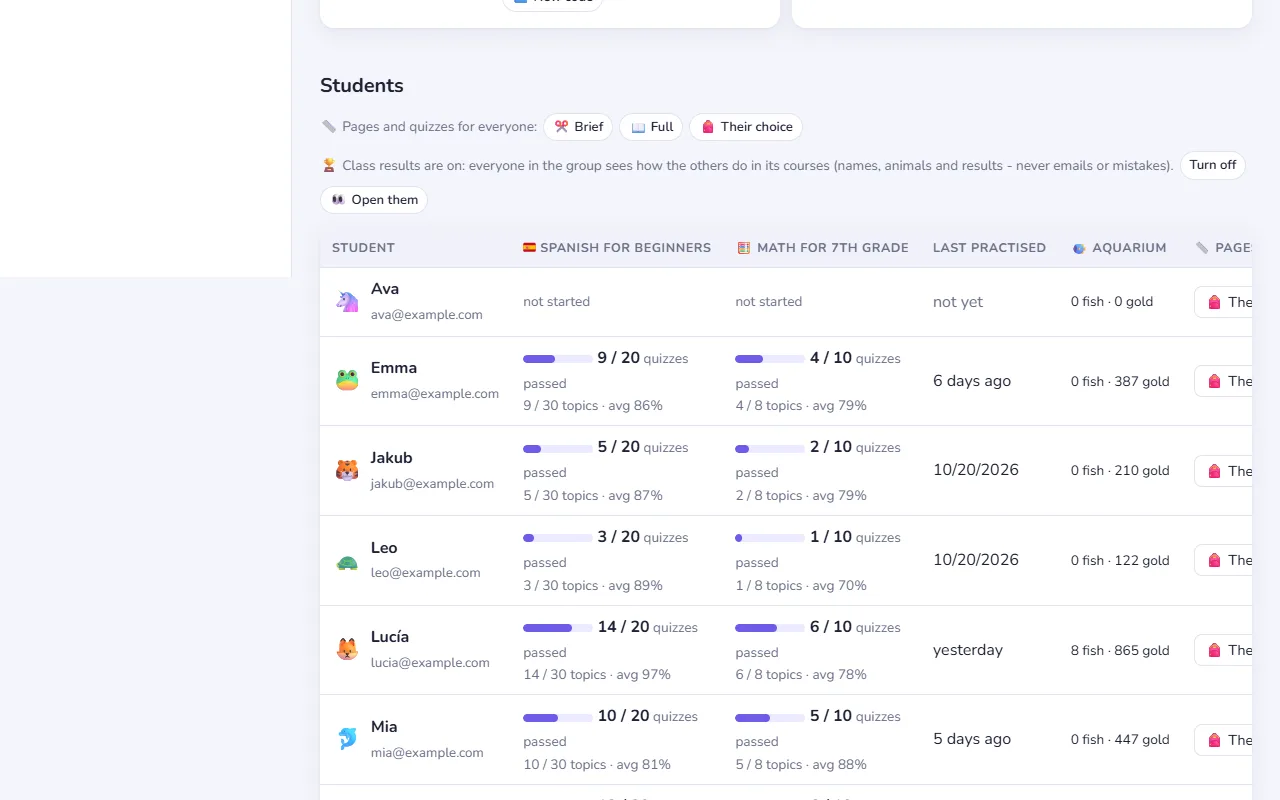
The mistakes are the useful part. When half the class picked the same wrong option, that is your next lesson.
Brief or full, per student
Some students want every explanation, others get bored and want to go straight to the point. Pages and quizzes in Teaching Mate come in a full and a brief version. You can choose for the whole group or for one student, and lock the choice, or let each student choose in their settings.
Class results
Each group can have a results board where students see how they do next to their classmates: quizzes passed, best scores and practice this week. It shows names and animals only, never emails or mistakes. It is on for every new group, you switch it off with one click, and you can always open it yourself, for example on the classroom screen. See class results.
Learn along with them
Any account can learn in a group, teachers included. Join your own group as a student to see exactly what your class sees, or join a colleague's group with its code.
Free for the whole class
Groups, accounts and progress cost nothing, for you or for your students, and there are no ads. Start in the Studio: make a group, add a course, and print the cards.