 Teaching Mate
Sign in
Class results: a friendly leaderboard for your class
Many students practise more when they can see their classmates practising. Every group in Teaching Mate has a class results board: the members see where they stand in the group's courses, and you decide whether it is on.
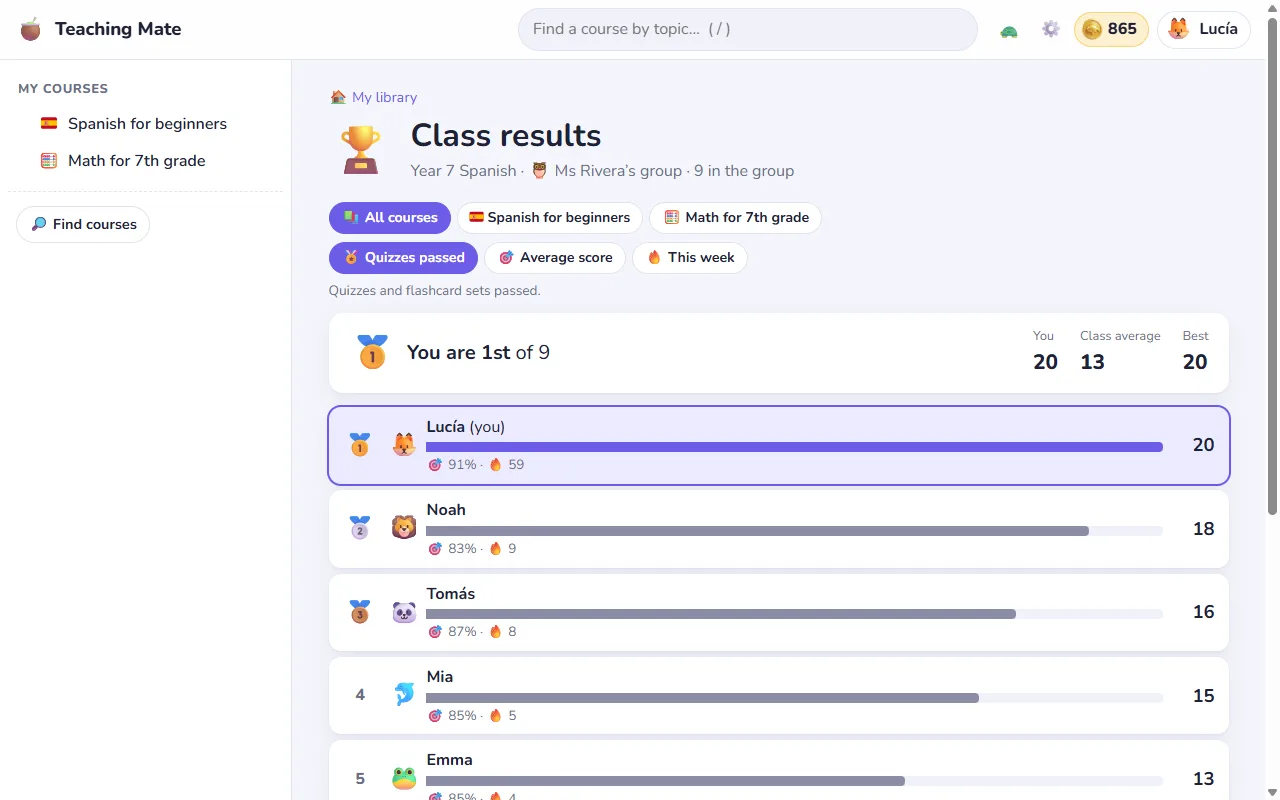
Three ways to rank
- Quizzes passed: quizzes and flashcard sets passed.
- Average score: the average of each student's best score in the quizzes they tried.
- This week: quizzes and flashcards done in the last 7 days. This is the one where a student who started late can still come first.
Each ranking works for all of the group's courses together or for one course. The top three get medals, each student's own row is highlighted, and a card tells them their place ("You are 2nd of 8"), their number, the class average and the best.
Nobody is shown last
Students who have not started yet are not put at the bottom of the board. They are listed apart, as "not on the board yet", until they have something to count.
Quiz by quiz
For one course the board also goes through the quizzes one by one. A student sees their own best score next to the spread of the whole class, drawn as dots without names, plus the class average, how many passed, and the best score with the name of who got it. It is a quick way to see whether a quiz was hard for everyone or only for you.
What classmates see of each other, and what they never see
- Shown: names, the animals they picked, and their results in the group's courses.
- Never shown: emails, mistakes, or anything from other courses. Apart from the best one, scores in a quiz are dots without a name, and the server does not send the names behind them.
You decide
Class results are on for every group unless you turn them off. On the group's page in the Studio one button switches them off or on again, and another opens the board as your students see it. You can always open it, even when it is off, for example to show it on the classroom screen at the end of the week.
Where students find it
- the "Class results" button next to the group on their home page,
- the groups window in the account menu,
- "Compare with your class" at the bottom of a course's quiz page,
- and "How did your class do?" after finishing a quiz, which opens that very quiz on the board.
Part of Teaching Mate, free
Class results come with every group. Make a group, give it a course with quizzes, and the board fills up as your students practise. Students who want more motivation also earn gold for their aquarium with every passed quiz: see how students learn.